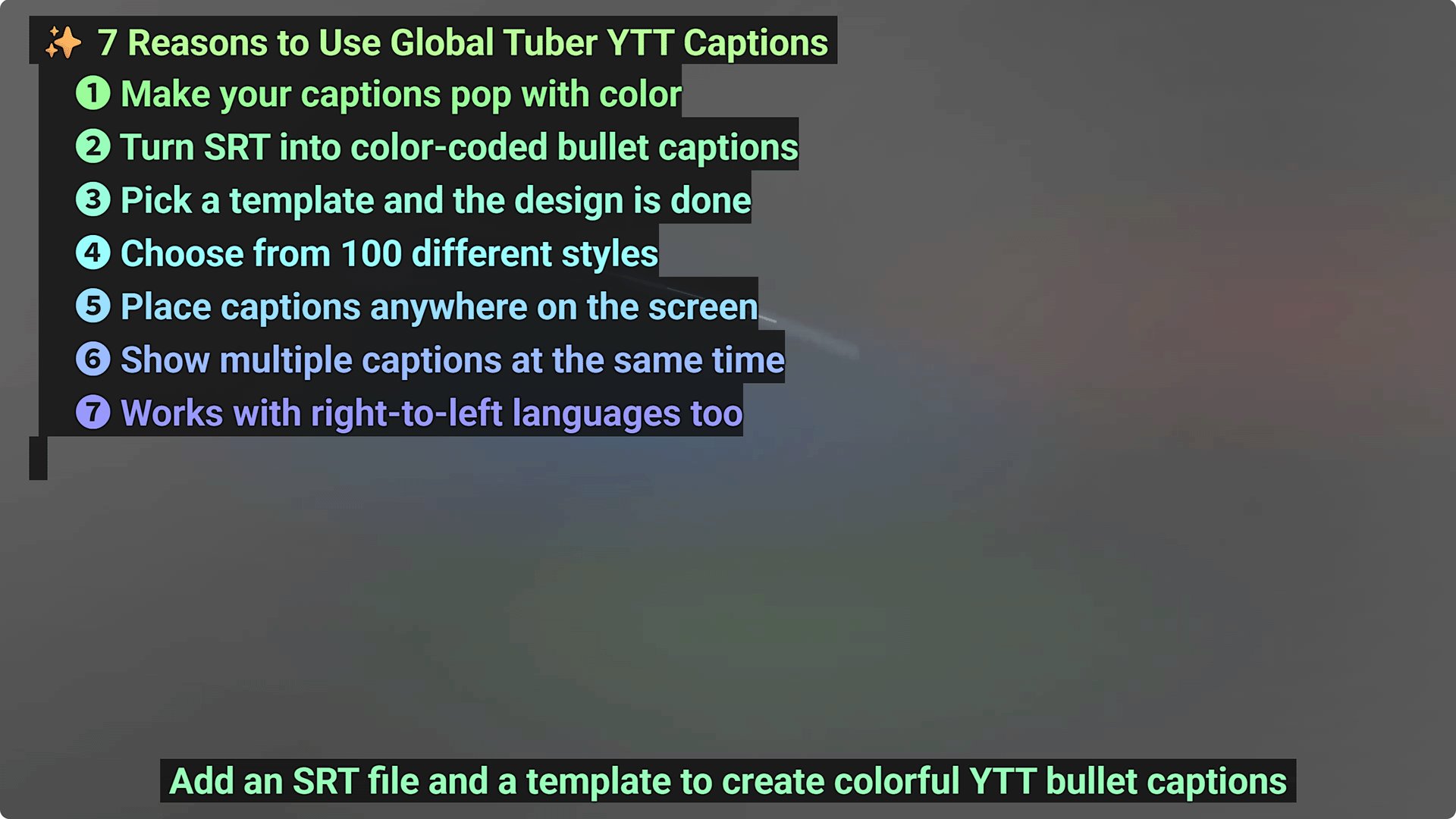
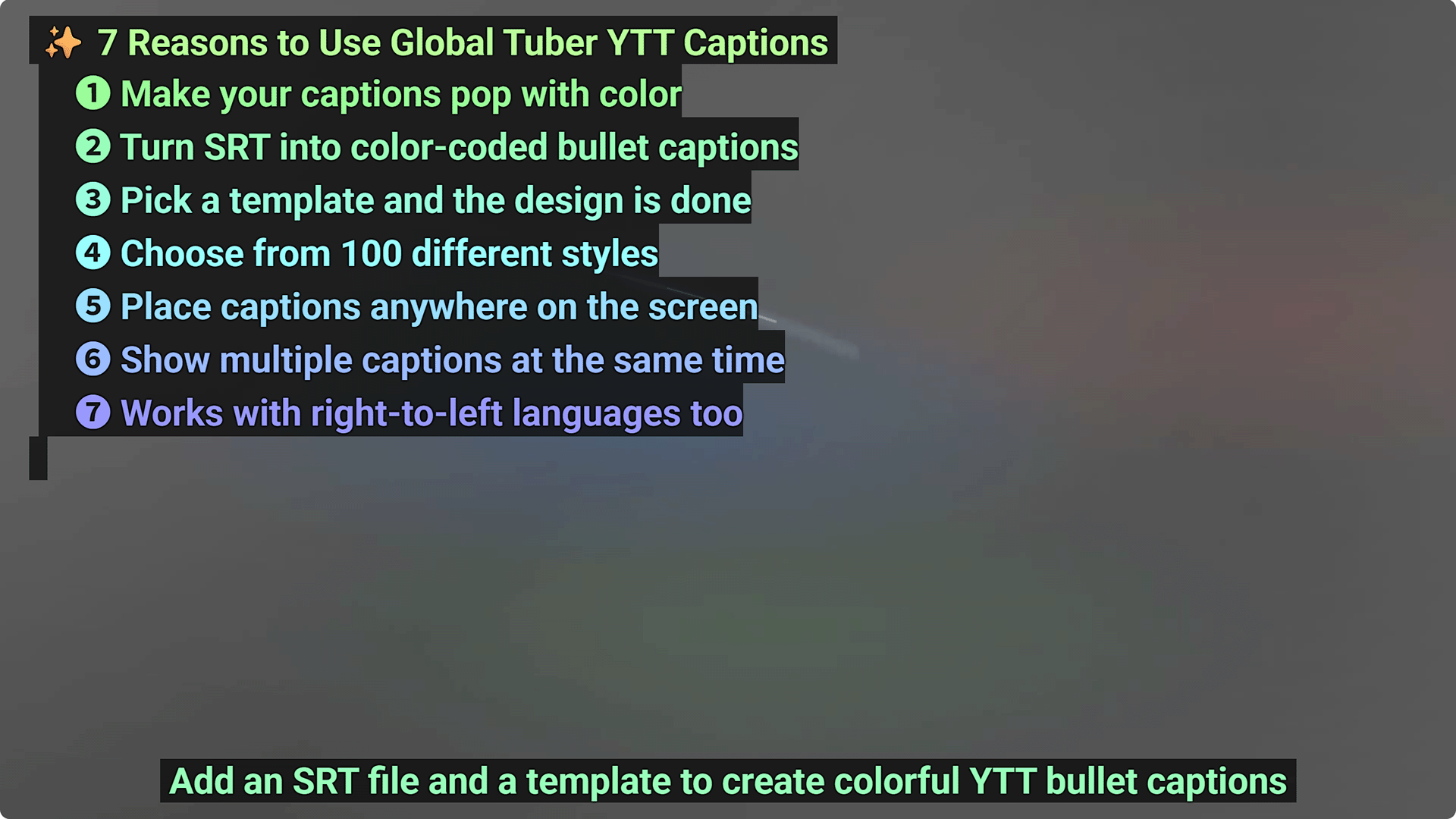
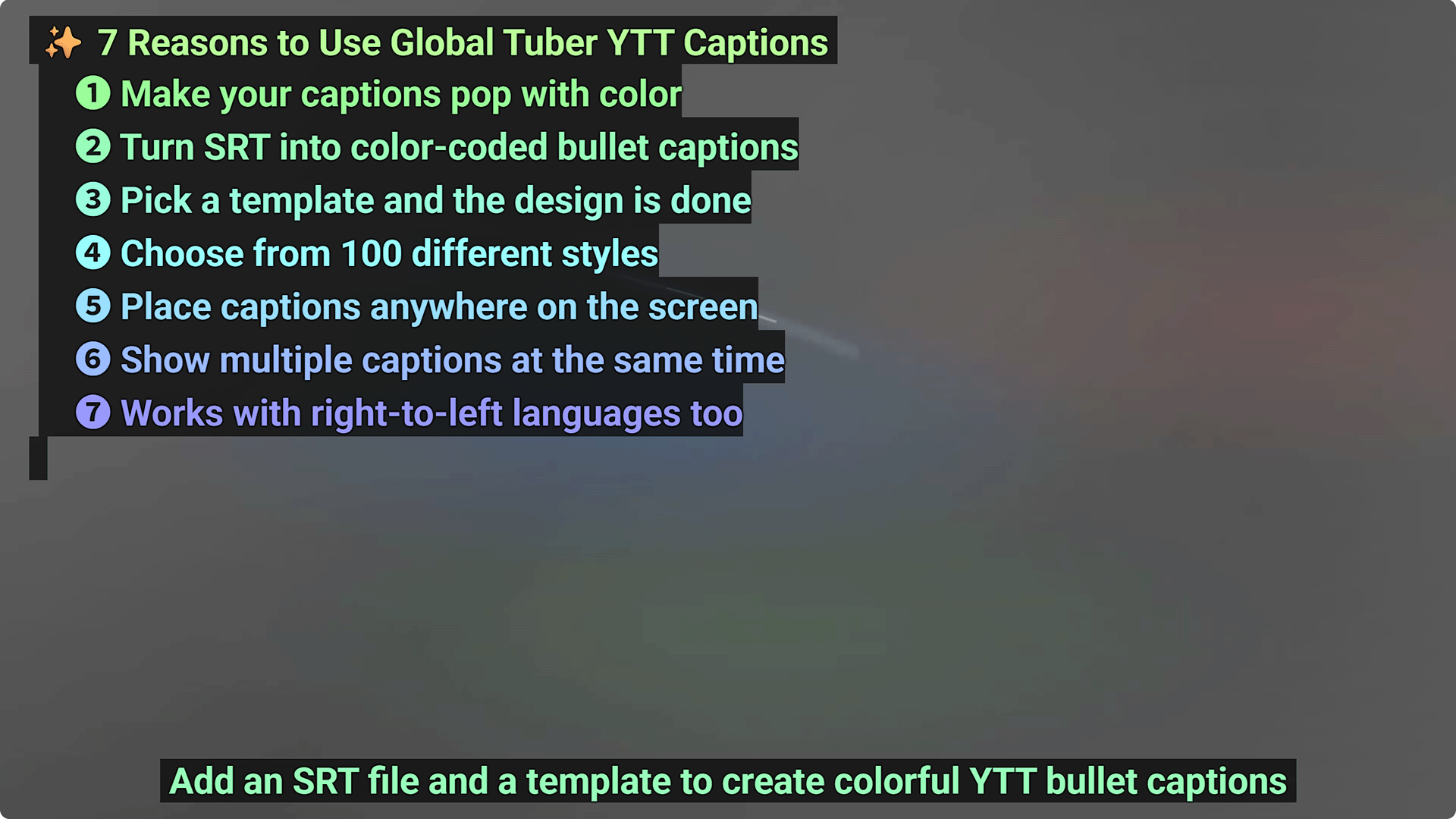
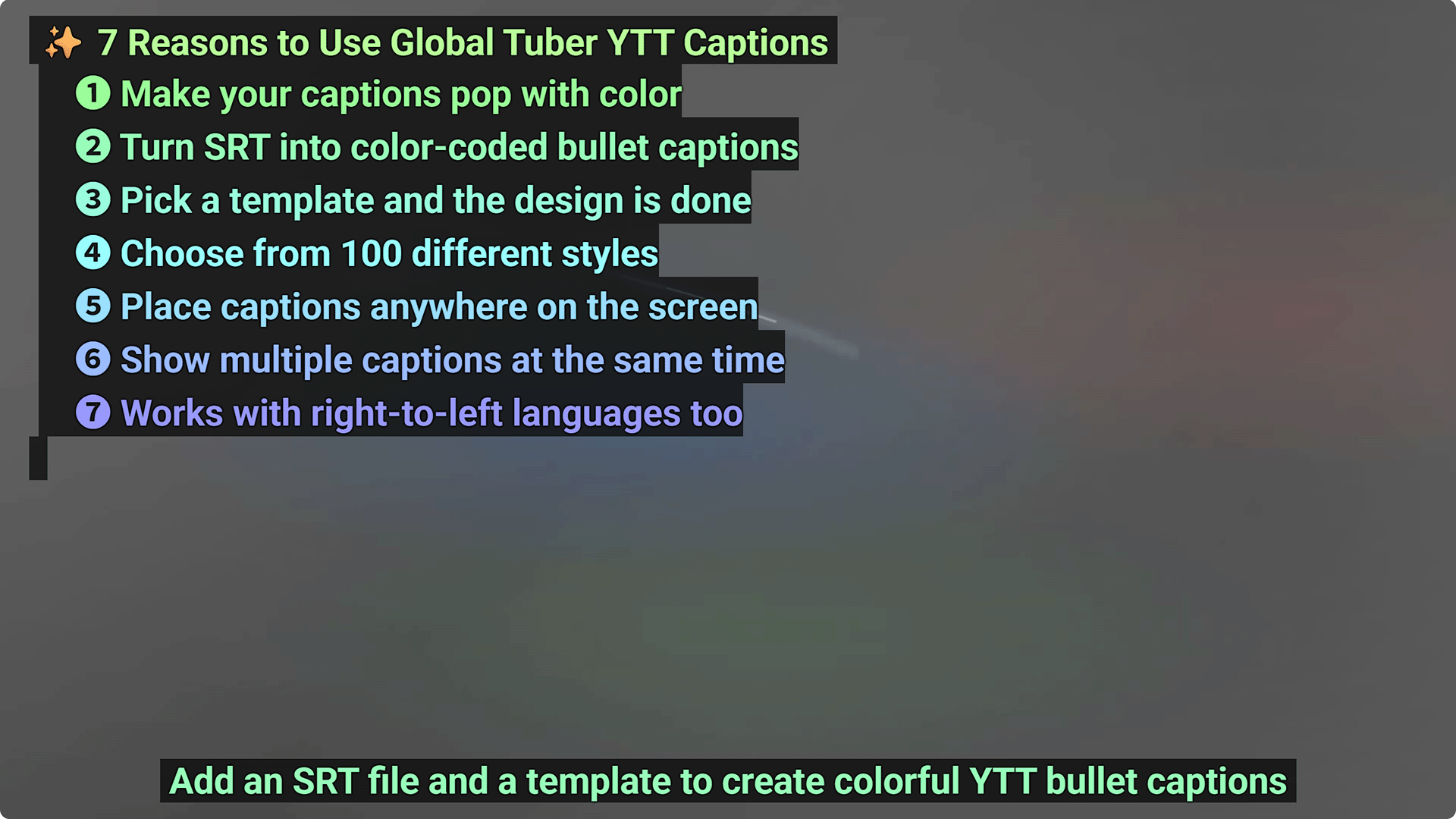
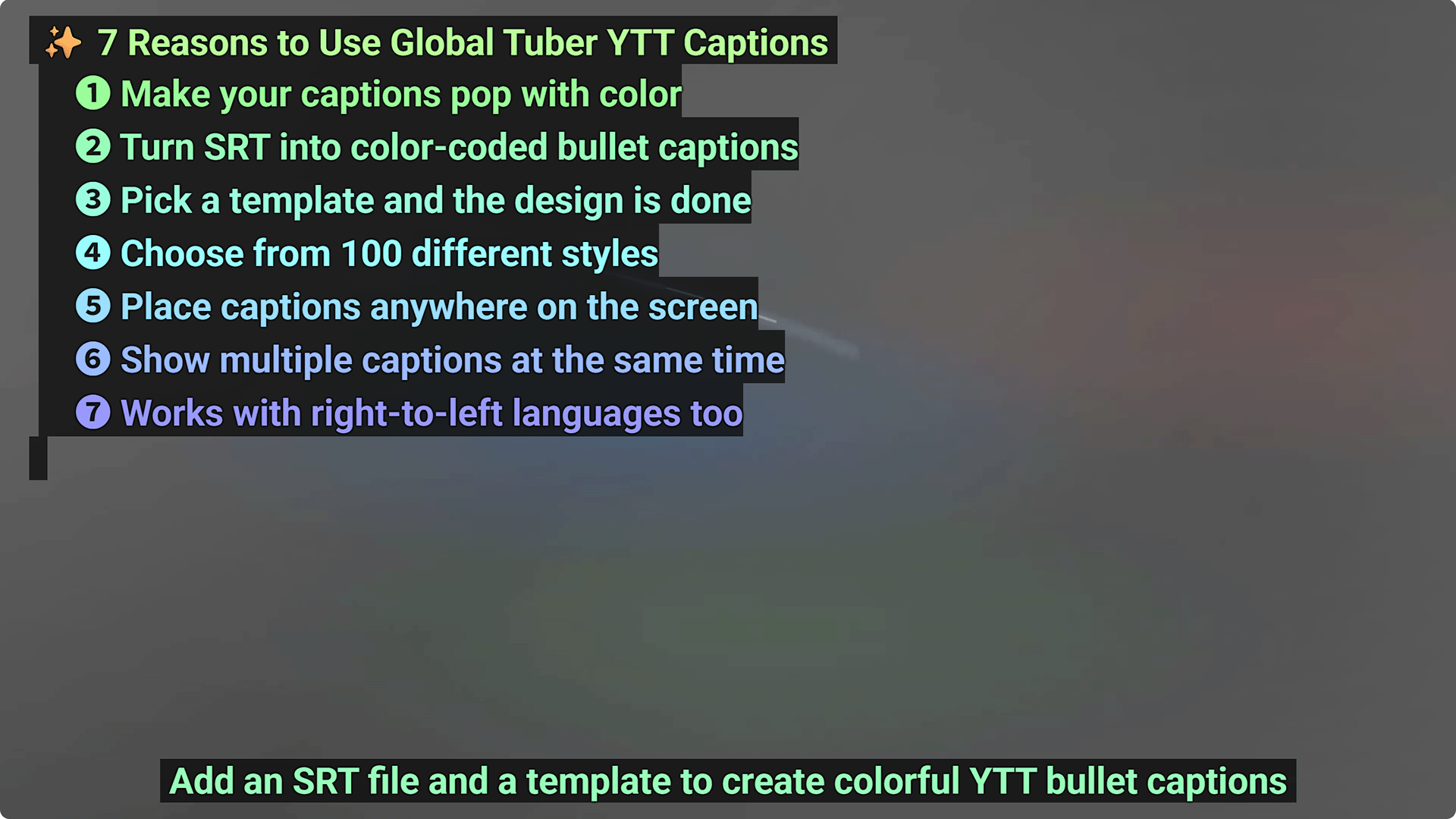
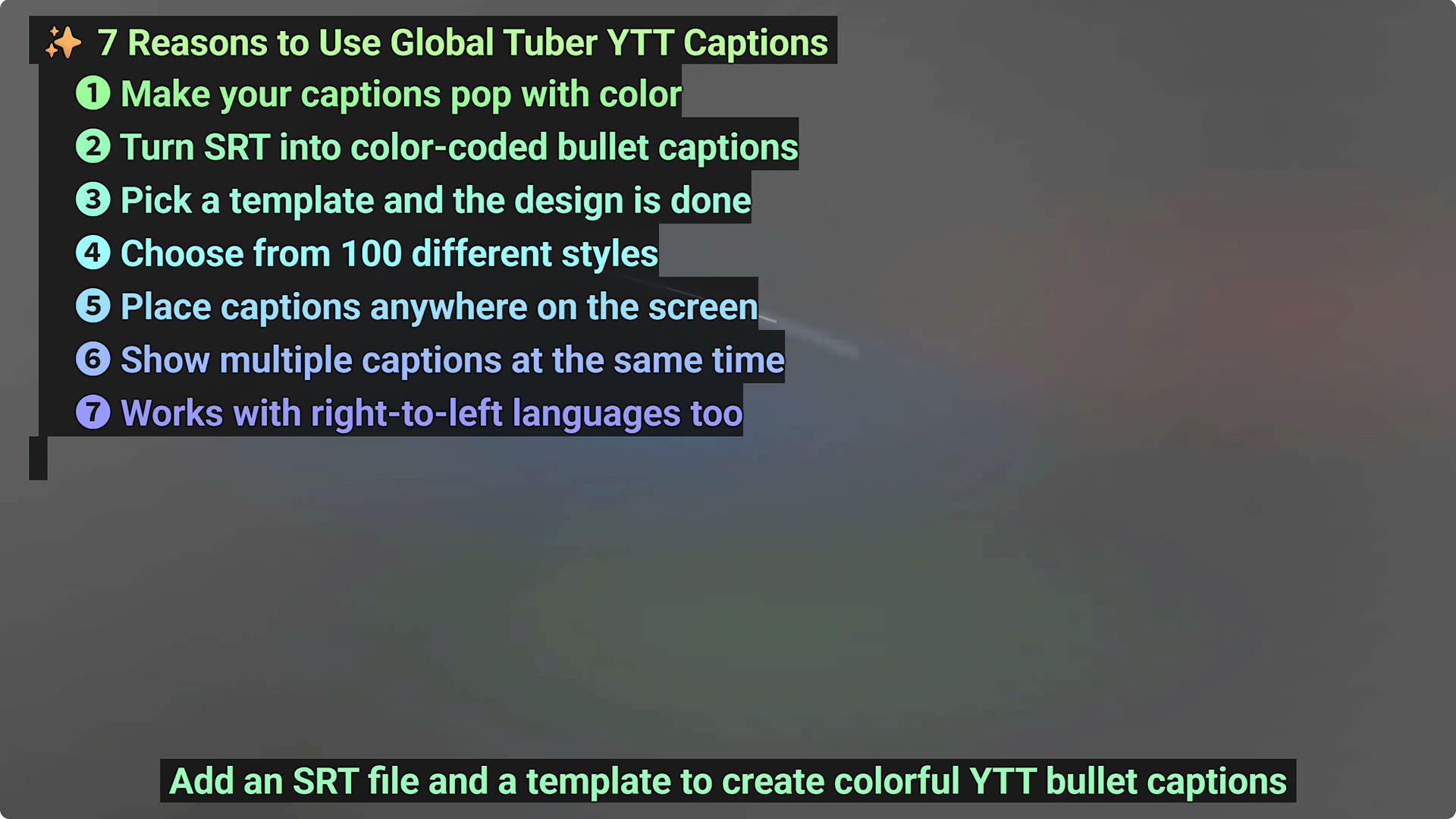
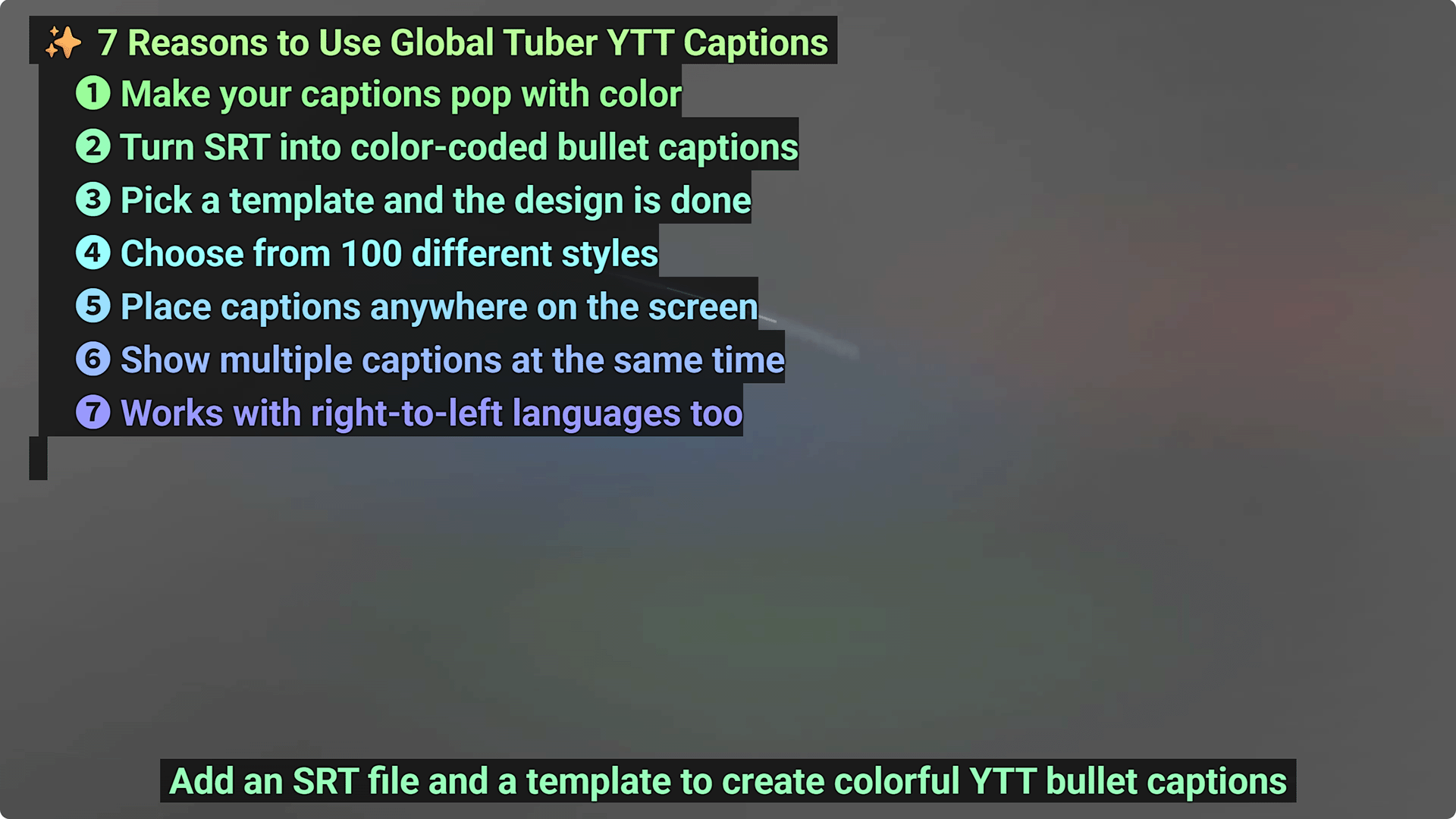
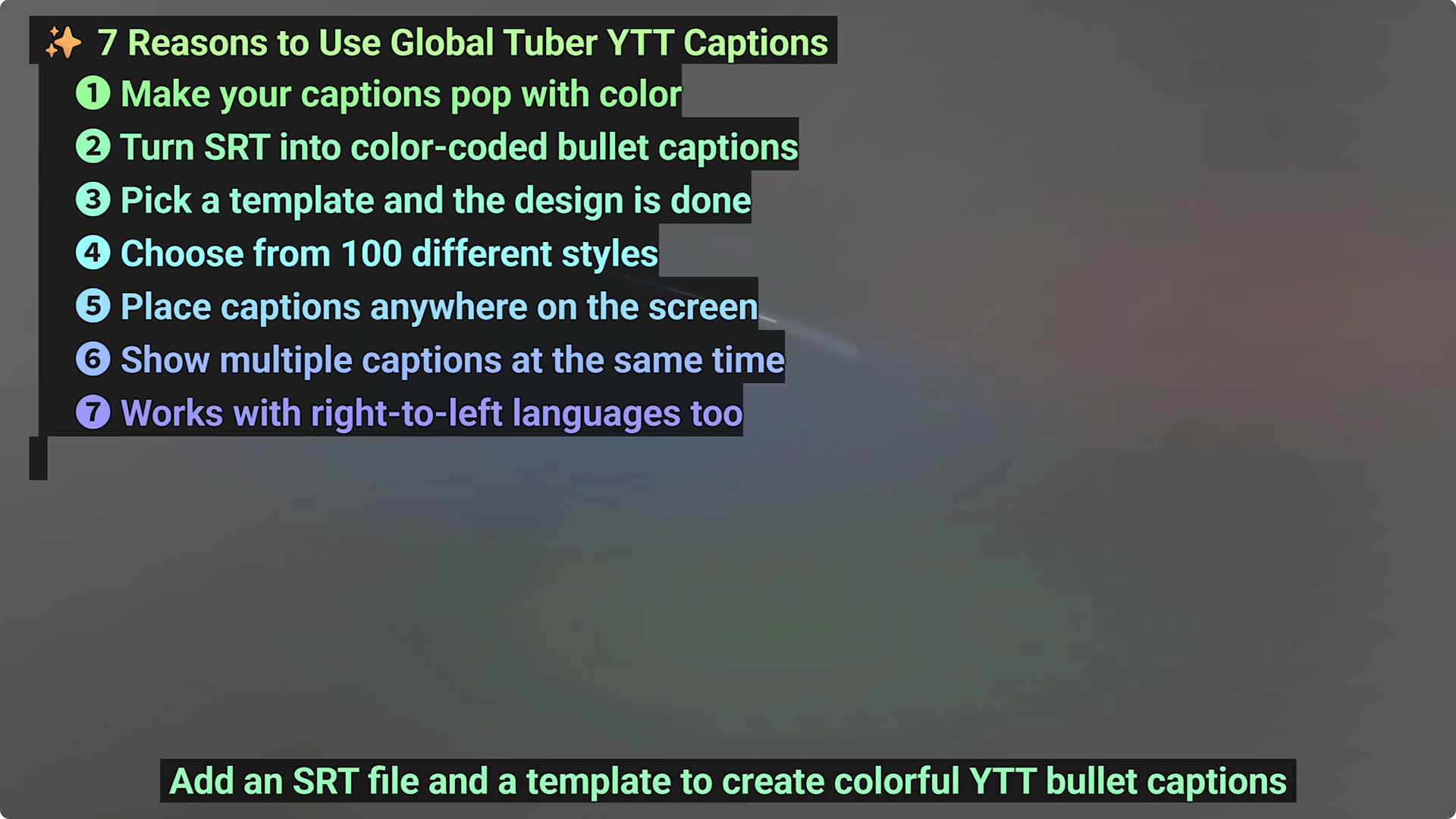
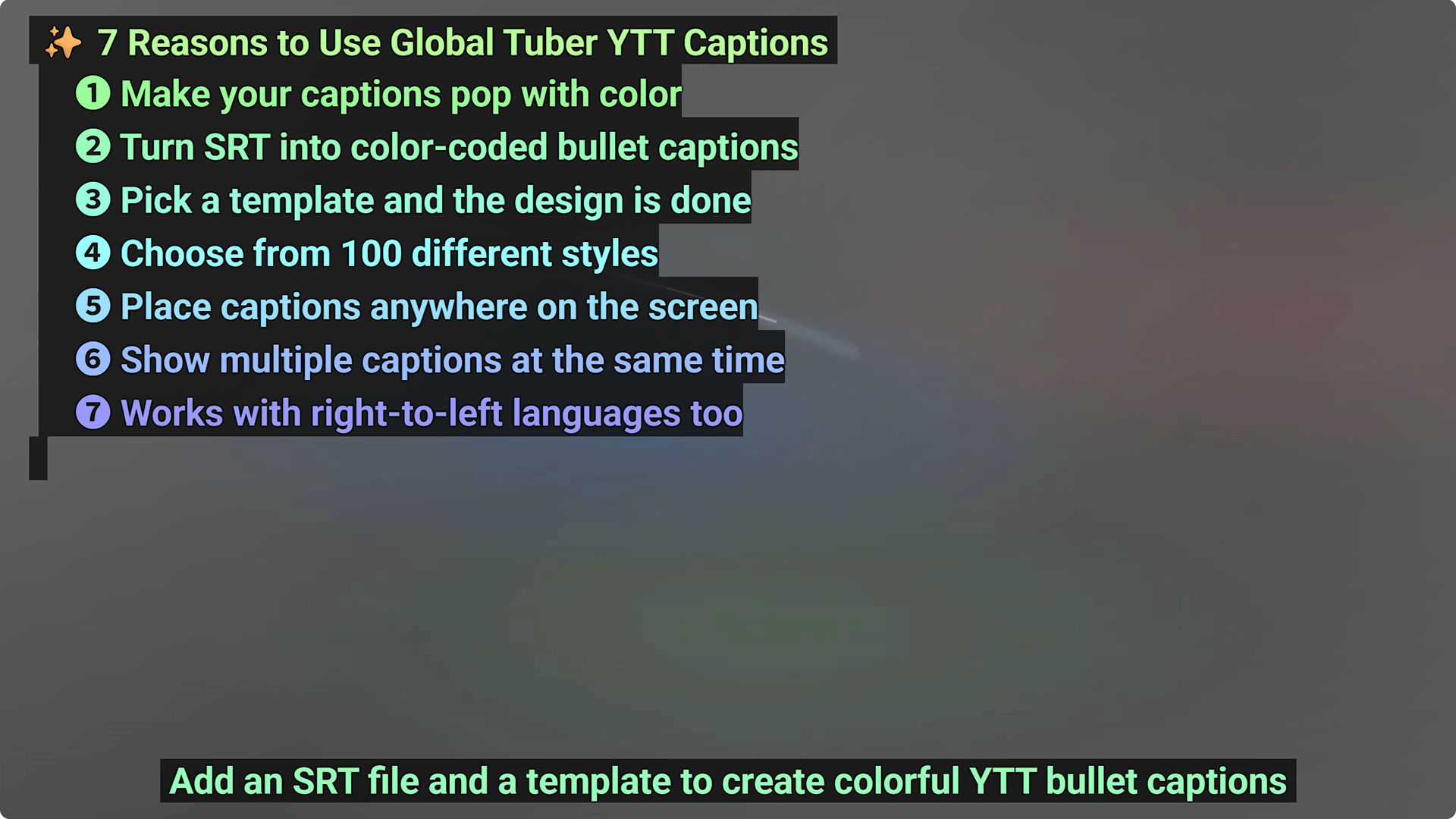
Why settle for plain subtitles?
Plain subtitles at the bottom of the screen can be easy to ignore. Global Tuber turns ordinary SRT files into eye-catching Color-Bullet YTT Subtitles with customizable colors, bullet layouts, and flexible positioning, helping viewers follow key points and helping your channel stand out.
Plain SRT vs Color-Bullet YTT
Compare plain SRT subtitles with Color-Bullet YTT Subtitles. The difference is visual: YTT Subtitles can turn text into a clear on-screen guide.
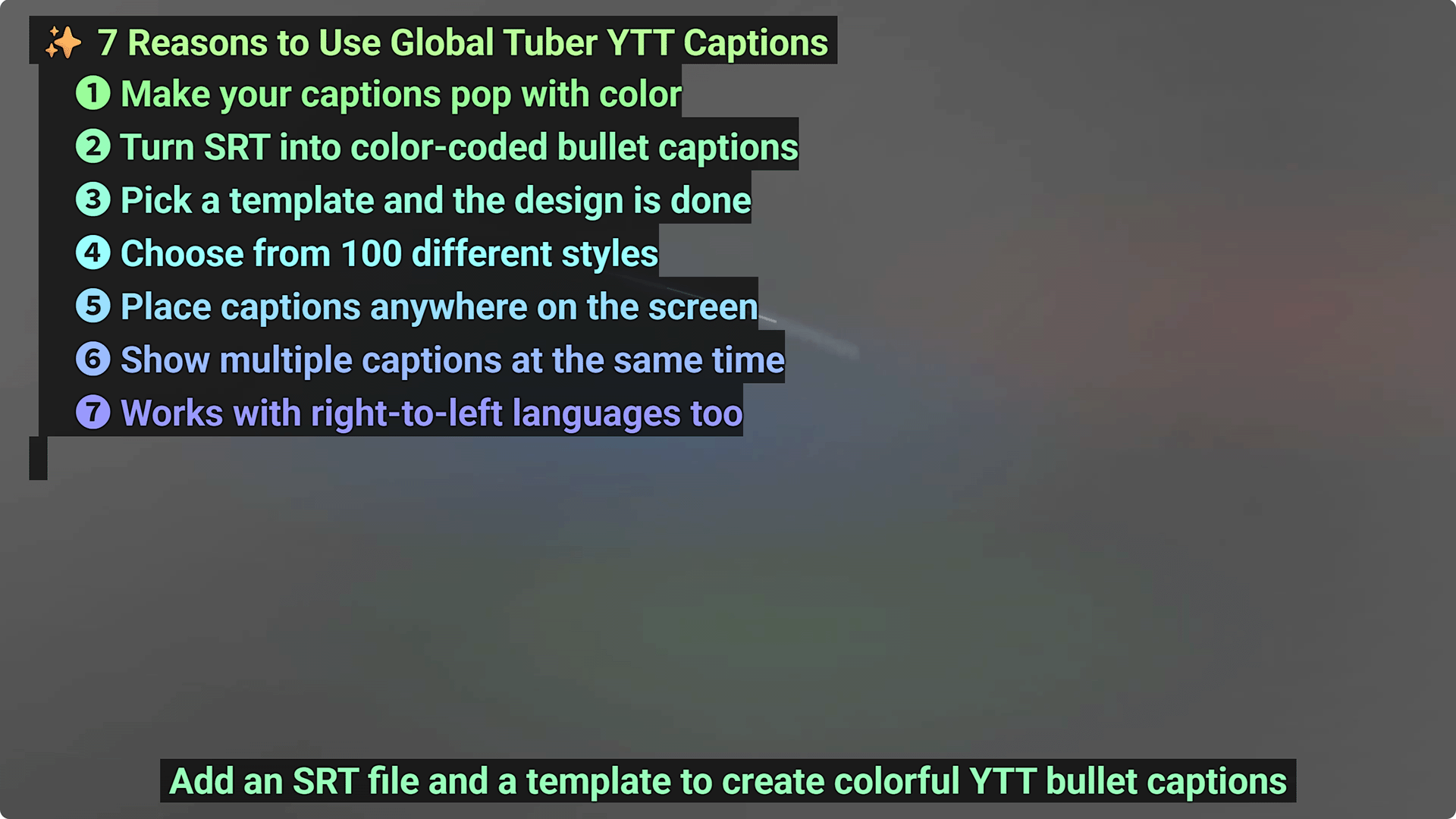
User Benefits
- Important points are easier for viewers to notice and follow
- Subtitle design takes less time because templates handle the basic layout
- Your subtitles can match your channel style across videos
- You can avoid covering faces, products, or important visuals by placing subtitles where they fit the scene
- Extra explanations or comparison points can appear at the same time
- Existing SRT files can be reused instead of rebuilding subtitles from scratch
- Right-to-left language viewers can receive subtitles in a more suitable direction
YTT subtitle capture examples
[YTT subtitles] YTT is an unofficial YouTube-compatible subtitle format that supports the widest range of visual expression on YouTube, including color bullet lists. This is the recommended format.
[TTML subtitles] TTML can show basic color bullet subtitles on YouTube, but the range of expression is limited. YouTube officially supports TTML, but only a small part of the TTML specification can be used.